Your notifications.
One home.
NotifHost collects the notifications on your Android phone into one organized inbox, sorts them into categories, and keeps a history after you swipe them away. Your notification history stays on your phone.
Three steps. One permission.
Install NotifHost
Android only. No account needed: NotifHost works fully offline without signing up. An account will be optional.
Grant Notification Access
Android asks you to allow NotifHost to read notifications. This is the one permission the app needs, and you can turn it off at any time in Android settings.
Open one inbox
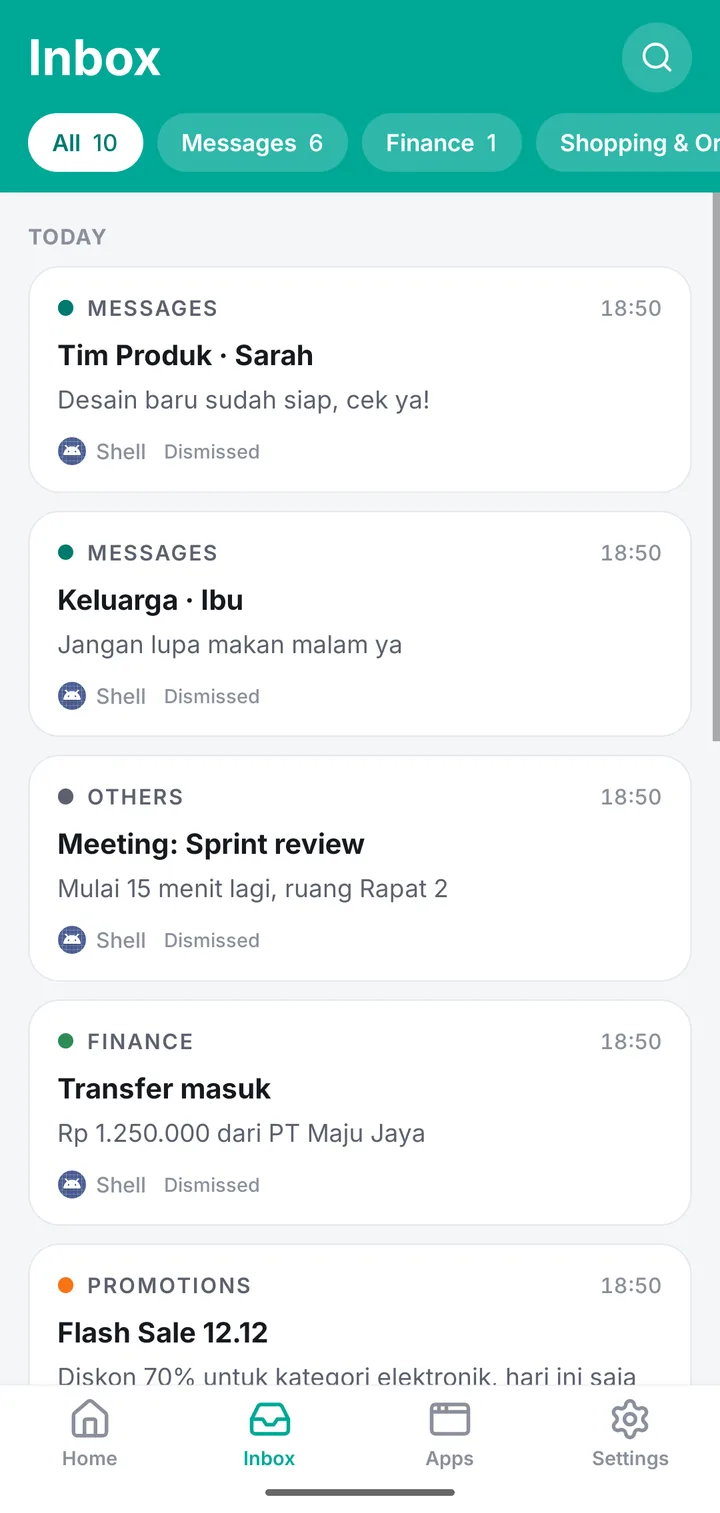
New notifications from the apps you choose land in a single inbox, sorted into categories, and stay there even after you swipe them away.
What NotifHost does today
One unified inbox
Notifications from all your monitored apps in one scrollable list, newest first.
Automatic categories
Each notification is sorted on your phone into a category, so bank alerts and delivery updates are not buried under promotions.
History after dismissal
Swiped a notification away too fast? It is still in NotifHost, as long as it arrived after you granted access.
Copy one-time codes
OTP notifications get a Copy button, so the code is one tap away. Where Android lets NotifHost see it.
Money tracker
Bank and e-wallet alerts become a simple monthly view of income and spending, worked out on your phone.
Search and filters
Find that one notification from last week by word, sender or app, and narrow by category or date.
Categories, sorted on your phone
It stays on your phone.
Notifications are personal: messages, codes, bank alerts. So NotifHost keeps your notification history in a database on your device and never uploads it. An account and AI reply suggestions are optional extras, still in development.
No account needed
Use NotifHost fully offline without signing up. An account will be optional.
History never uploaded
Your notification archive lives only on your phone, even if you create an account.
AI only when you tap
Optional reply suggestions (in development) send one conversation only when you tap Suggest reply. It is not stored or logged.
You send, not us
Reply drafts are never sent automatically. You choose a draft and send it yourself.
No ads, no trackers
No advertising SDKs and no analytics in the app.
You stay in control
Choose apps, pause collection, clear history, or revoke access in Android settings.
What NotifHost can’t do
Better you hear it from us than from a one-star review.
Only from the moment you grant access
NotifHost cannot recover notifications that arrived before you turned on Notification Access.
Only what the notification shows
If an app hides content in its notification (for example "New message" instead of the text), NotifHost only sees that placeholder.
Some one-time codes are hidden
On Android 15 and later, Android hides many one-time codes from apps like NotifHost. That is a system privacy feature, and we think it is a good one.
Android only
iPhone does not allow apps to read other apps’ notifications, so there is no iOS version.
Your phone can stop it
Some phones aggressively close background services to save battery. If notifications stop arriving, allowing NotifHost to run in the background usually fixes it.
Not a backup service
History lives on one phone and is never uploaded, even if you have an account. If you uninstall, reset or lose the phone, the history is gone with it.
On the list, not in the app yet
Ideas we are working toward. No dates promised. Anything that changes how data is handled will be added to the privacy policy before it ships.
Social digest
Mentions and DMs first, likes and follows summarized, so social apps stay quiet.
Spam & scam warnings
Flags for messages that look like common scams.
AI reply suggestions
Tap Suggest reply on a conversation to get reply drafts. Only that conversation is sent, only when you tap, and it is not stored. You pick a draft and send it yourself; nothing is sent automatically.
Coming soon to Google Play.
Android only. Questions before launch? Email us at hello@notifhost.com.